How to Create Viral Instagram Anime Edits: A Complete Guide for Creators
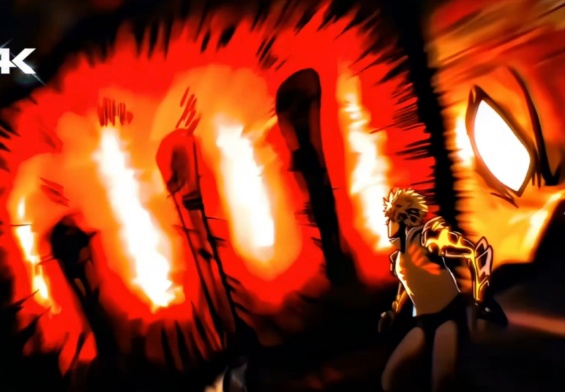
In today’s digital era, Instagram has become the go-to platform for creative expression. Among the ocean of reels, one trend that consistently grabs millions of views is anime edits — fast-paced, emotional, and visually stunning creations that blend storytelling with style. Whether it’s a “Saitama vs Garou” Twixtor edit or a dramatic “Blue Lock” montage, anime edits have a unique power to captivate audiences.
If you’ve ever wondered how to make your anime edits go viral on Instagram, this guide will help you master the craft — from concept to posting strategy, and the tools top editors use.
1. Understand the Core of a Viral Edit
Before touching any software, understand what makes an edit viral:
- Emotion: Viewers connect to feelings — nostalgia, intensity, sadness, hype, or awe.
- Timing: Perfectly synced transitions to beats or lyrics are key.
- Originality: Add your personal touch — new angles, unexpected cuts, or a unique style.
- Short & Powerful: Instagram Reels favor short, dynamic edits that grab attention in the first 2 seconds.
Viral anime edits aren’t just random clips stitched together — they’re mini-stories told through rhythm, visuals, and emotion.
2. Choosing the Right Clips
Pick high-quality anime scenes that fit your edit’s emotion. HD or 4K sources make a huge difference in visual appeal. Websites like:
- Anix, Gogoanime, or 9Anime (for streaming reference)
- Blu-ray raw clips or scenepacks (from Google Drive or editors’ Discords)
Tip: Use scenepacks — pre-cut, high-quality anime clips. Search “Garou Twixtor scenepack” or “Blue Lock scenepack” on YouTube to find ready-to-use material.
3. Essential Tools for Anime Editing
Here are the most popular tools professional Instagram editors use:
A. Adobe After Effects (AE)
The industry standard for anime edits.
- Add motion graphics, transitions, and effects.
- Sync clips with beats using keyframes.
- Use the Twixtor plugin for slow-motion and smooth motion blur.
Must-have plugins:
- Twixtor: For slow-motion, buttery-smooth movement.
- Sapphire Plugins: For unique transitions, glow, and flicker effects.
- Magic Bullet Looks: For cinematic color grading.
- BCC (Boris FX): For glitch, blur, and light effects.
B. Sony Vegas Pro / DaVinci Resolve
Perfect for beginners. Offers timeline editing, syncing, and color correction with simpler controls.
C. CapCut & Alight Motion (Mobile Editing)
If you’re editing on a phone:
- CapCut: Free and powerful — includes effects, motion blur, and beat sync tools.
- Alight Motion: Best for custom keyframes and advanced transitions.
Pro tip: Use CapCut’s “velocity” feature for quick Twixtor-like effects if you’re not on PC.
4. The Art of Syncing with Music
Music is the heartbeat of your edit. Choose songs that match the emotion and pace:
- For intense fights → EDM, dubstep, trap, or hardstyle.
- For emotional moments → Lo-fi, piano, or chill hip-hop.
Use beats, lyrics, or drops to time transitions, zooms, or slow-motion moments.
In After Effects, use the waveform to mark beats precisely.
5. Add Visual Effects and Motion
Here’s where your creativity shines:
- Zooms and shakes: Add energy and rhythm.
- Lighting flares: Make powerful moments pop.
- Text overlays: Add quotes or character names.
- Particles and dust FX: Bring depth to the scene.
For realistic motion, study popular edits on Instagram or TikTok — especially those using Twixtor or Sapphire transitions.
6. Color Grading & Aesthetic
Color is storytelling. Match the tone:
- Cool tones for calm or sad edits.
- Warm tones for action and hype.
- Use Magic Bullet Looks, Lumetri Color, or Hue/Saturation tools for balanced visuals.
Avoid over-saturation — subtle color tweaks feel more cinematic.
7. Exporting for Instagram
Recommended settings:
- Resolution: 1080×1920 (vertical)
- Frame rate: 30 or 60 FPS
- Bitrate: 8–10 Mbps
- Format: MP4 (H.264 codec)
Upload from a stable connection to avoid Instagram compression ruining quality.
8. Growth Tips for Going Viral
- Post at the right time: Evening hours or weekends work best.
- Use relevant hashtags: #animeedit, #twixtor, #animereels, #editorslife.
- Engage with others: Comment and share other creators’ edits.
- Be consistent: Post regularly — algorithms reward activity.
- Trend with purpose: Join trends early but keep your style unique.
9. Learn, Evolve, and Build Your Style
Don’t just copy — learn from the community. Watch top editors like Insoku, Rizu, or Kairo for inspiration. Study transitions, effects, and pacing. Over time, your editing flow will develop naturally.
Remember: every viral editor started as a beginner who just kept improving.
Final Thoughts
Creating viral anime edits isn’t about having the most expensive software — it’s about emotion, rhythm, and creativity. Whether you’re editing on a PC or phone, your goal is to make people feel something. The moment your edit sparks excitement or nostalgia, you’ve already won.
Keep experimenting, keep learning, and who knows — your next anime edit could be the one that blows up all over Instagram. 🚀
How to Create Viral Instagram Anime Edits: A Complete Guide for Creators
♦ANIME WORLD TWIXTOR CLIPS♦
Download Anime Twixtor for Edits : https://www.animeworldtwixtor.com/popular-anime-twixtor/
Download Free Movies Clips & Twixtor For Edits : https://moviestwixtor.com/
Download Anime Clips For Edits : https://www.animeworldtwixtor.com/anime-clips-raw/
Subscribe to Youtube Channel For More Clips & Twixtors : https://www.youtube.com/@Animeworld_ss
Text Me on Instagram To Request Twixtor / Clips / Promotion : RDJ EDITS / ANIMEWORLD